Streamline operations
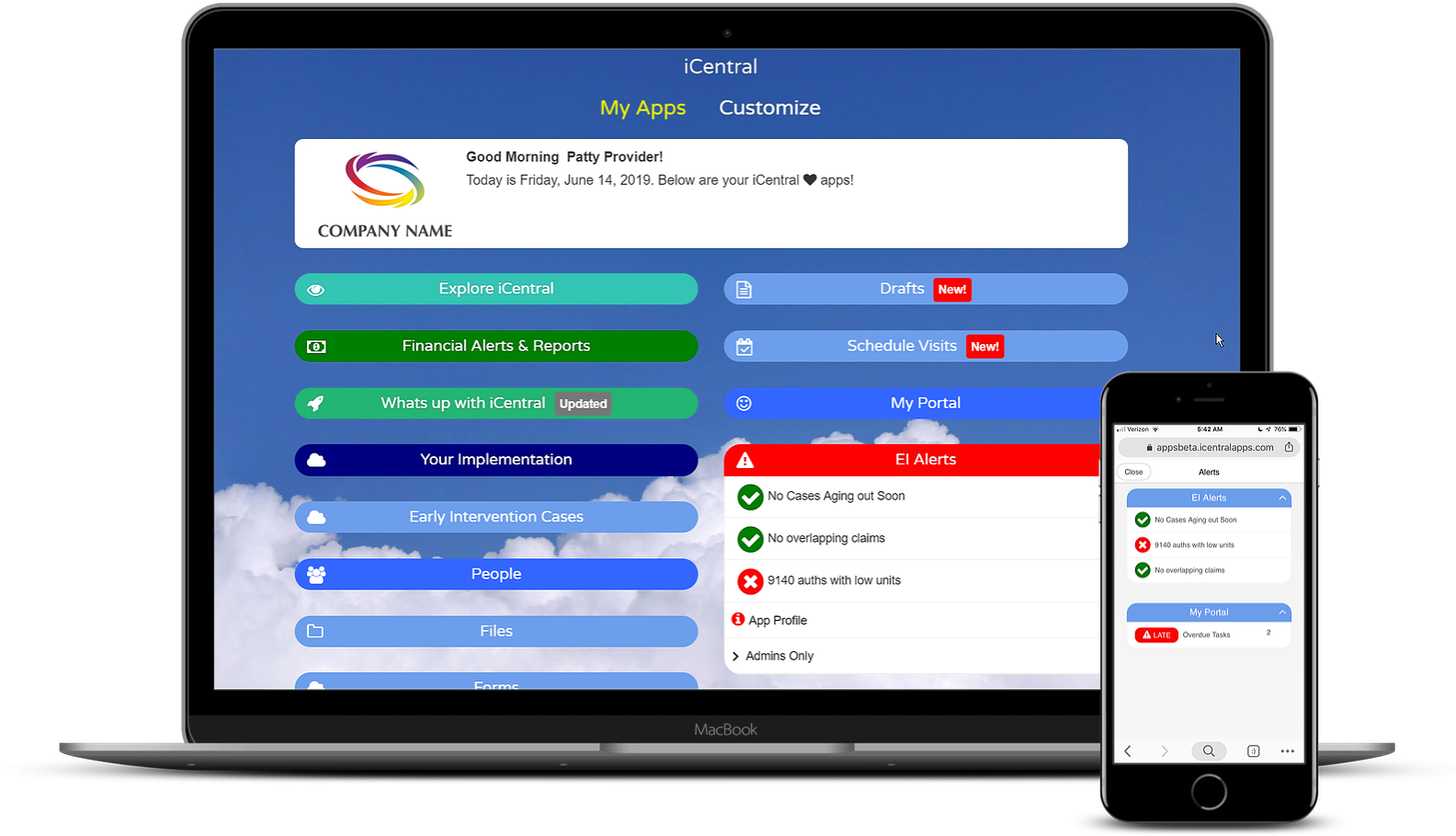
Automate and centralize your administrative tasks with our versatile portal apps for all your programs, including Early Intervention, Pre-K, Daycare, and more.
iCentral KIDs
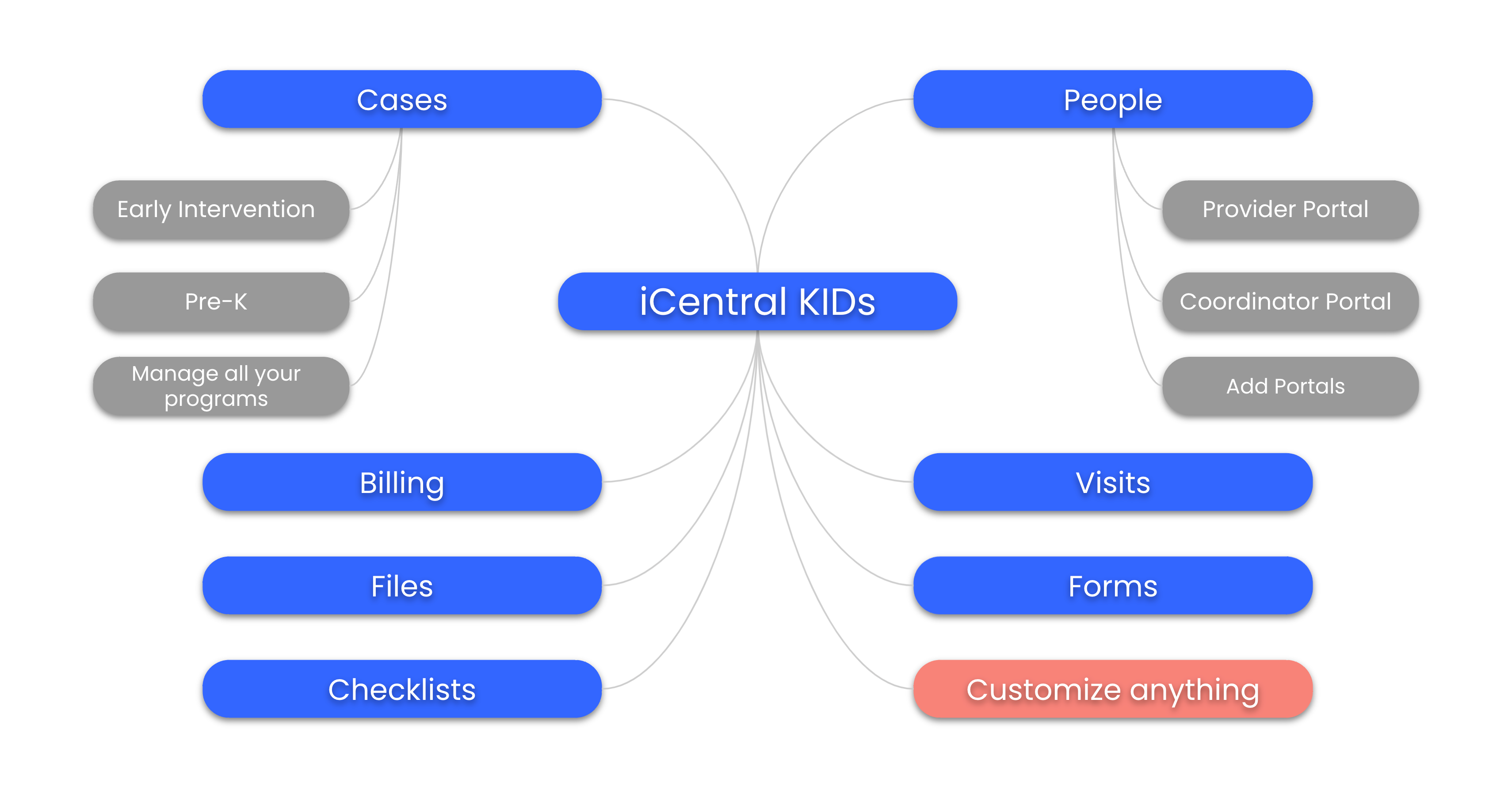
A case management and billing platform for all your programs, including Early Intervention, Pre-K, Daycare, and more.
Challenges
✘ Managing programs such as Early Intervention, Special Education, and other therapy service-based programs is complex and inefficient.
✘ Information is scattered across numerous systems, spreadsheets, paper, email, forms, and files.
✘ Existing systems are rigid and do not handle all your programs.
Solution
✅ Manage Cases from Start to Finish
Manage all your cases from each of your programs, capturing all important information. A child can start in your Early Intervention program and transition to a Pre-K program as they age out of EI.
✅ Go Paperless
For each case, upload and organize files into standard folders. Distribute electronic forms with digital signatures. Manage plans, authorizations, contact info, and much more in one central location.
✅ Standardize Workflow & Stay Compliant
All information is entered in a standardized way in a central location, from case forms to progress notes. Stay compliant with automated alerts and checklists.
✅ Automate Billing & Payroll
Enter visits and automatically capture billing and provider payroll. Implement billing apps to seamlessly connect workflows.
✅ Portals for Your Teams
Distribute easy-to-use portals that can be accessed on any device. Providers can access their case information and session notes using Provider Portal, while leadership can access big-picture information using the Executive Portal.
✅ All the Information You Need
Track and manage everything in iCentral KIDs, including the following: Programs, Cases, Plans & Authorizations, People, Providers, Service Coordinators, Visits, Service Coordination Notes, Evaluations, Attendance, Billing, Claims, Provider Payroll, Financials, Checklists, Calendars, Messages, Files, Forms, Reports, Alerts.
How it Works
① Browse Solutions
Using iCentral Marketplace, browse for existing solutions. For example, add the Provider Portal for Early Intervention cases to your suite of apps. Tweak and customize with designer apps such as Form and Report Designer.
② Distribute apps to Your Teams
Once you have an app set up, you can easily give access to your teams. Start with your BETA team users before rolling out to the entire team to ensure everything is set up properly.
③ Work with iCentral Partners
You can implement the system yourself or work with iCentral Partners to help you get started and adjust as your needs evolve.
Cases
Manage cases from start to finish for all your programs.
Challenges
✘ Managing cases involves paperwork and electronic files everywhere
✘ No centralized location for authorized team members to access information
✘ Lack of standardization for each case
Solution
Centralized Information
Collect and centralize all case information in one spot, including contact info, visits, plans, authorizations, files, forms, checklists, and more.
Multiple Cases Management
Each child can have multiple cases for different programs. For example, a child may start in Early Intervention and then transition to your Pre-K program
Standardization
Authorized team members can access case information with a click, ensuring each case has standardized information.
Alerts
Receive alerts for critical events, such as cases aging out soon and authorizations running low on units.
How it Works
Set up your Program Types
The system is designed to handle multiple cases for a child across different programs, such as Early Intervention and Pre-K.
Tweak Forms
Customize included forms by cloning and tweaking them to meet your specific requirements.
Reports and Alerts
Generate and customize reports and alerts to fit your needs, with many pre-included options available for cloning and tweaking.
Get Started quickly
Browse case solutions to get up and running quickly.

People
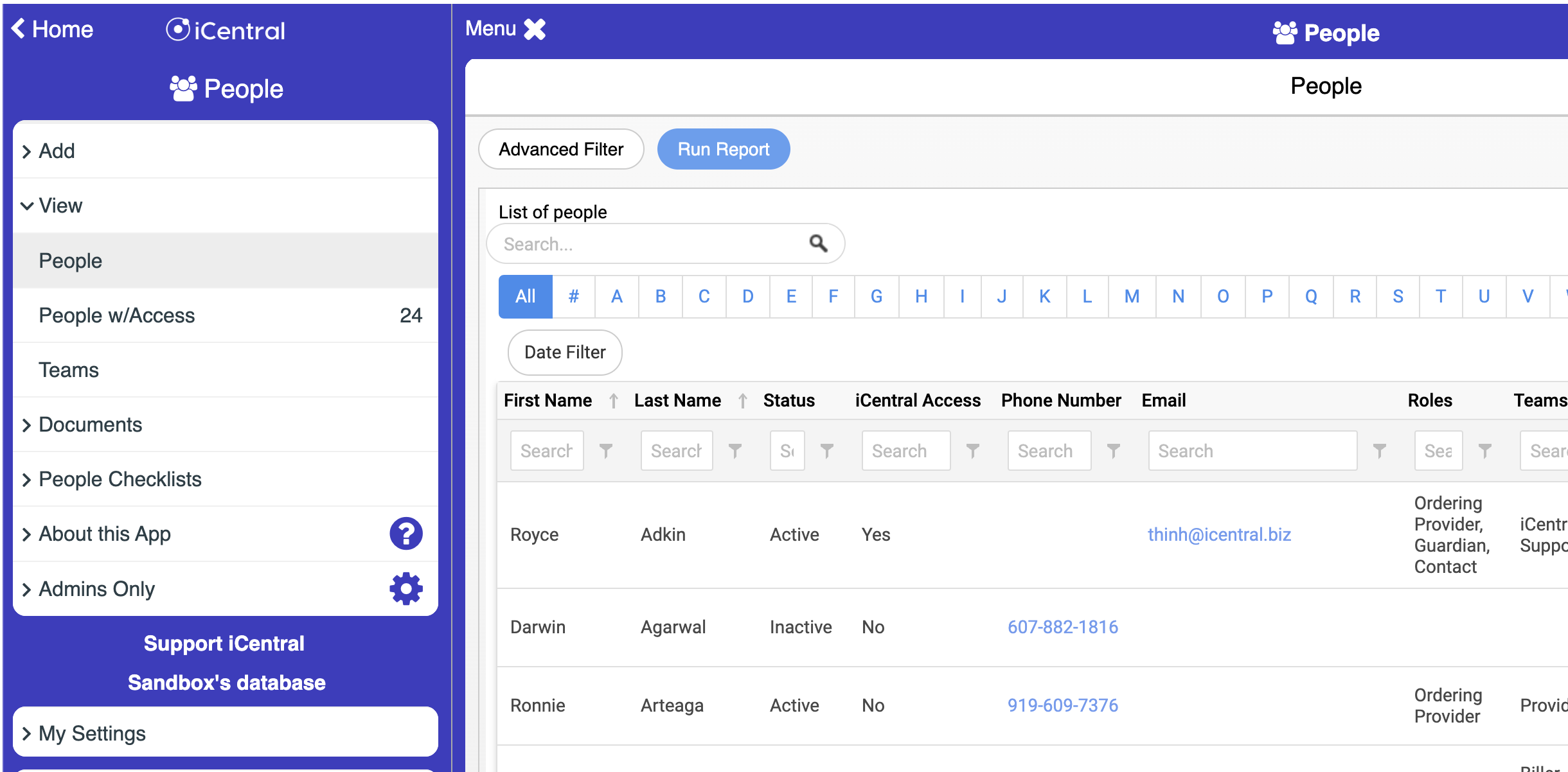
Manage your team members including providers.
Challenges
✘ Managing your people and team involves scattered paperwork and electronic files
✘ No centralized location for authorized team members to access information
✘ Lack of standardization for each team member
Solution
Centralized Information
Collect and centralize all team member information in one spot, including contact info, case assignments, user access rights, and more.
Standardization
Authorized team members can access standardized information with a click, ensuring consistency for each person.
Alerts
Receive alerts for critical events, such as upcoming insurance expirations and productivity notifications based on case assignments.
How it Works
Set up your Teams
Your organization can create multiple teams, such as Providers and Billing, each with access to different apps.
Tweak Forms
Customize included forms by cloning and tweaking them to meet your specific requirements.
Reports and Alerts
Generate and customize reports and alerts to fit your needs, with many pre-included options available for cloning and tweaking.
Get Started quickly
Browse people solutions to get up and running quickly.
Files
Organize files and folders securely and easily.
Challenges
✘ Files are disorganized and not easily and securely accessible
✘ Finding files for each case or individual is difficult
✘ Solutions like Dropbox can be costly with per-user fees
Solution
Case Files
Create a case and then attach folders and files to easily and securely store files for each child.
People Files
Store files and folders for your team members.
Folder Templates
Create templates to maintain a consistent folder structure for each case and individual.
Viewer
View PDFs, Word, and Excel documents directly within the system without downloading.
Portal Security
Create custom portals for your teams to view only the folders they have access to, with options to limit actions such as viewing files without upload permissions
How it Works
Get started quickly with this solution and start organizing your folders and files in a secure environment for easy access by your team members.


Forms
Cost-effective and secure signature portals for your web and PDF forms.
Challenges
✘ Getting signatures on vital documents from guardians, parents, providers and anyone can be a time-consuming and challenging task
✘ Text and email is not secure
✘ Solutions like DocuSign can be costly with per user fees
Solution
Streamline form filling and signature Workflow
Forms automatically appear in a secure portal for guardians, parents, providers or anyone assigned to the form to fill out and electronically sign.
Reduce Admin Work for Your Team
Forms are configured for automated workflow No need to setup again. For example, a provider must sign a form before a guardian. Once the provider signs, the guardian is notified they need to sign.
Cost-Effective Alternative to DocuSign and Adobe
Solutions such as DocuSign are cumbersome and costly. iCentral offers a simple, secure, HIPAA-compliant portal for authorized users to access.
How it Works
Set up your Teams
Your organization can create multiple teams, such as Providers and Billing, each with access to different apps.
Tweak Forms
Customize included forms by cloning and tweaking them to meet your specific requirements.
Reports and Alerts
Generate and customize reports and alerts to fit your needs, with many pre-included options available for cloning and tweaking.
Get Started quickly
Browse people solutions to get up and running quickly.
Checklists
Automate workflows with checklists for cases and team members.
Challenges
✘ Lack of standard workflow to manage cases and team members
✘ Important items are being missed causing audit and HR issues
✘ No clear picture of what needs to get done and when
Solution
✅ Checklists for Cases
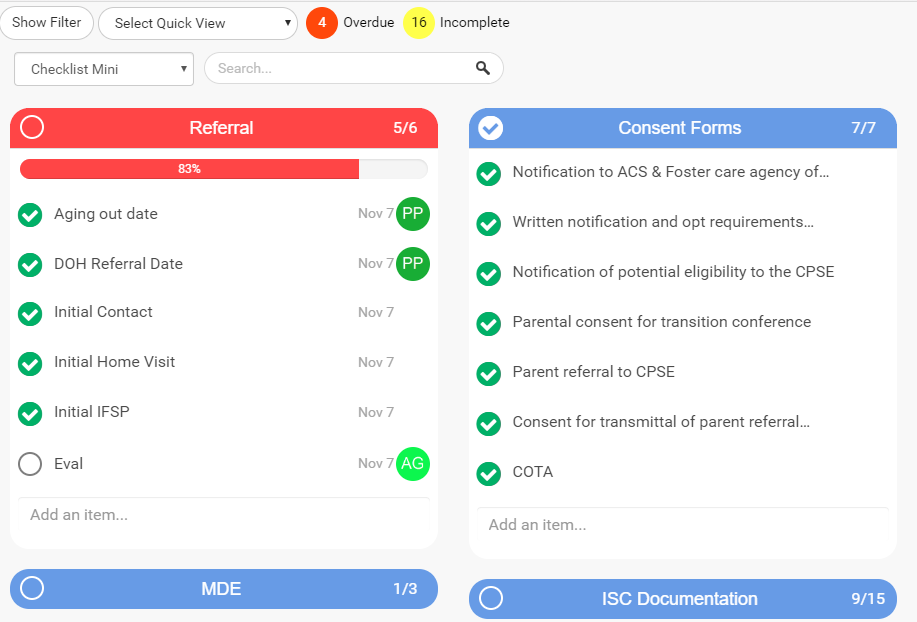
Checklists ensure important case tasks, like parent consent forms, are completed consistently and nothing is overlooked.
✅ Checklists for People
Checklists ensure important people tasks, like required insurance documents, are completed consistently and nothing falls through the cracks.
✅ Automatically Apply Checklists
When a case or person is entered, checklists can be automatically applied based on rules. For example, checklists for 1099 staff can be applied to a new provider. Similarly, checklists for EI therapy cases can be automatically applied.
✅ Alerts
Alerts bring any incomplete checklists front and center, ensuring nothing is missed.
How it Works
① Setup Checklist Templates
Setup case and people checklist templates. Browse iCentral Marketplace for checklists created by experts.
② Setup Automation
Setup the checklist templates to automatically apply when cases and people are entered.
③ Automate workflow
Your workflow is automated with checklists automatically being applied and alerts notifying assigned users of any tasks missed.

Visits
Transition from paper to electronic session notes with custom forms and electronic signatures.
Challenges
✘ Providers are entering notes into word or some other system where workflow is not standard and inefficient.
✘ Billing and Audit issues are common because there is no automation
✘ Providers do not have easy access to cases and notes
Solution
Providers enter Visits with notes
Provider Portal allows a provider to enter their session notes and access case information and past session notes on any device.
Electronic Signatures
Notes include electronic signatures from all parties including parents.
Real Time Audit Checks
Over 60 real time audit checks prevent billing and audit issues.
Clean Billing is automatically captured
Billing rates and units are automatically calculated, allowing claims to be ready to bill.
How it Works
Setup Visit Codes & Forms
Customizable Visit codes can be billable or non-billable and each can be associated with customizable forms. Browse iCentral Marketplace for free forms to import.
Setup Billing Rates
Billing rates follow billing rate rules you can customize.
Setup Audit Error Checks
Turn on any of the 60+ error checks to prevent billing and audit issues.
Give access to Portals
Turn on the simple portals for your Provider and Coordinator teams with minimal or no training needed.
Billing Apps
iCentral Marketplace includes already built billing apps you can integrate with your visit workflow. You can also export claims into CSV or Excel.
Service Coordination
Capture SC notes with custom forms and electronic signatures.
Challenges
✘ Service Coordinators are entering notes into word or some other system where workflow is not standard and inefficient.
✘ Billing and Audit issues are common because there is no automation
✘ Service Coordinators do not have easy access to cases and notes
Solution
Coordinators enter SC notes
Coordinator Portal allows a Service Coordinator to enter SC notes and access case information and past SC notes on any device.
Electronic Signatures
Notes include electronic signatures from all parties including parents.
Real Time Audit Checks
Over 60 real time audit checks prevent billing and audit issues.
Clean Billing is automatically captured
Billing rates and units are automatically calculated, allowing claims to be ready to bill.
How it Works
Setup Visit Codes & Forms
Customizable Visit codes can be billable or non-billable and each can be associated with customizable forms. Browse iCentral Marketplace for free forms to import.
Setup Billing Rates
Billing rates follow billing rate rules you can customize.
Setup Audit Error Checks
Turn on any of the 60+ error checks to prevent billing and audit issues.
Give access to Portals
Turn on the simple portals for your Provider and Coordinator teams with minimal or no training needed.
Billing Apps
iCentral Marketplace includes already built billing apps you can integrate with your visit workflow. You can also export claims into CSV or Excel.

Attendance
Take attendance for your classrooms and process tuition-based billing.
Challenges
✘ Taking attendance is manual
✘ Teachers and providers do not have access to their children’s information
✘ Tuition-based billing is time-consuming
Solution
Streamline Attendance
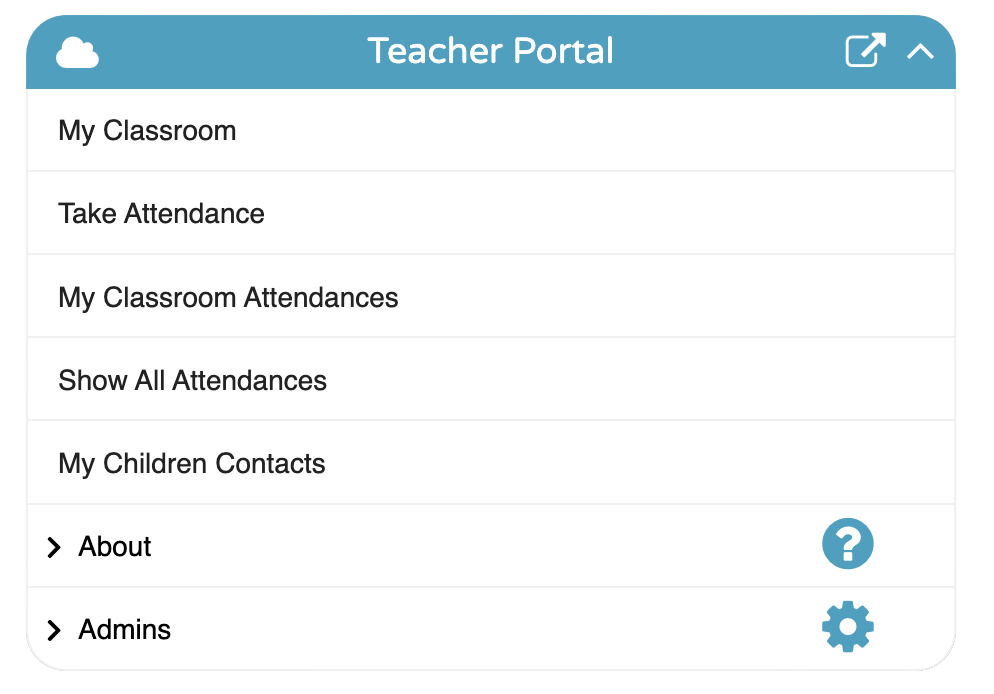
Allow teachers and providers to easily take attendance with a few clicks and have access to child information.
Streamline Tuition Billing
Manage enrollments with different tuition rates, making it easy to generate billing for your tuition-based programs.
Alerts
Receive alerts for critical events, such as missed attendance.
How it Works
Setup Classrooms
Create classrooms and assign children to each classroom.
Setup Enrollments
Set up enrollments for programs such as Daycare, Preschool, and others, each with associated tuition rates.
Setup Attendance Codes
Define attendance codes such as absent, present, program closed (scheduled), and program closed (unscheduled).
Give access to Classroom Portals
Provide teachers and providers with one-click access to child information and an easy way to take attendance. Schedule visits for individual therapy sessions seamlessly.
Billing
Bill all your pay sources, including fee-for-service and tuition billing.
Challenges
✘ Manual entry of claims one at a time into state, county, or insurance systems
✘ Manually calculating billing rates
✘ Difficulty in catching billing errors
Solution
Auto Billing Rates
Automatically calculate rates based on predefined rate rules for each pay source.
Error Checks
Utilize over 50 error checks to prevent billing errors before transmitting.
Batching
Batch claims into one file for upload to state, county, or insurance pay sources.
How it Works
Set up Pay Sources and Rates
Customize each rate based on built-in rate rules so your users don’t have to figure it out manually.
Setup Error checks
Enable error checks per program to stop users in their tracks with blocking errors, reducing administrative work in cleaning up billing issues.
Browse for Billing Apps
Find a billing app that fits your pay source requirements. For special billing needs, iCentral can assist in setting up tailored solutions.

Provider Payroll
Auto-calculate provider payroll based on visits entered.
Challenges
✘ Manually calculating payroll for fee-for-service providers is time-consuming
✘ Calculating provider payroll based on the claims they entered can be prone to errors, especially if providers are paid different rates
✘ Sending your payroll records to your payroll system requires manual entry
Solution
Auto Payroll Rates
Automatically calculate payroll rates based on predefined rate rules. When a provider enters a visit, payroll is automatically calculated.
Filter out Error claims
Option to filter and exclude claims that are in error when preparing payroll records, allowing correction of billing before paying a provider.
Batching
Batch payroll records into one file for upload to your payroll system.
How it Works
Payroll Rates Configuration
Set up group rates that follow the same payroll rate rules or customize payroll rates per provider or per authorization.
Provider Visit Entry
When a provider enters a visit, all necessary information is captured, ensuring billing and payroll are recorded with no double entry.
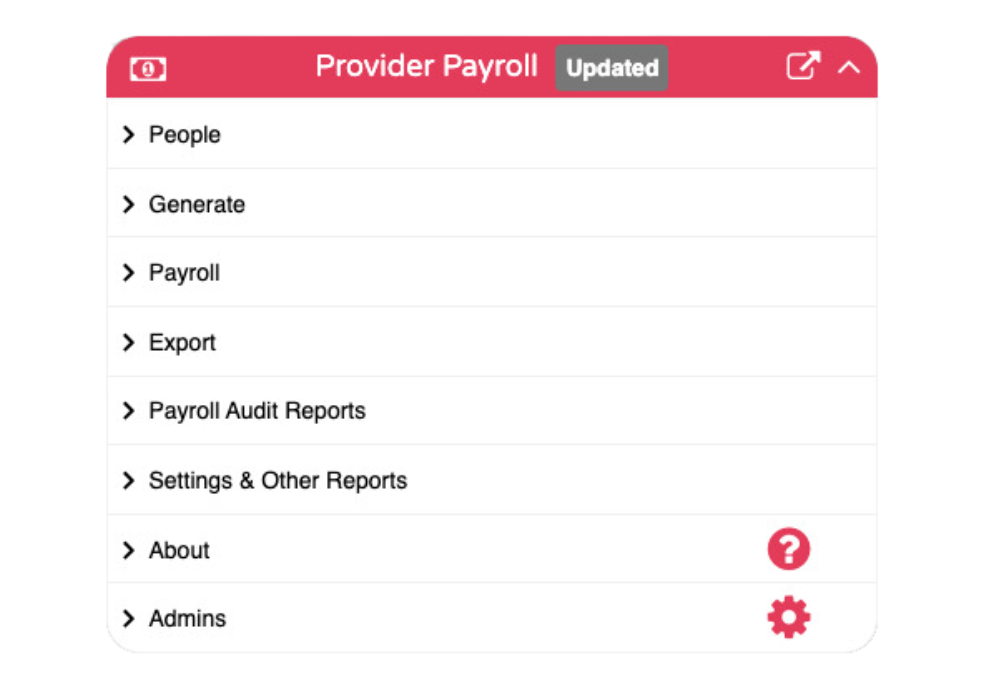
Generate Payroll Records
Generate payroll records in a few clicks and filter based on dates of service and other claim information.
Export Payroll Records
Export payroll records to Excel or a predefined custom format needed for your payroll system.
Messages
Simple and secure team messaging.
Challenges
✘ Team members are using unsecure email and texts to communicate confidential information violating HIPAA
✘ No quick way to communicate to all team members
✘ Solutions like Microsoft can be costly per user
Solution
Secure Messages Portal
Your team can communicate messages and files via secure messages.
Announcements
Admins can easily blast out announcements to all or selected teams. For example, send an announcement to all PT providers.
Cost-Effective Alternative
Solutions such as Microsoft can be costly per user. iCentral offers a simple, secure, HIPAA-compliant portal to communicate.
How it Works
Setup is easy if you’re already using iCentral. Just turn on the portals.
If you’re just starting out with iCentral, simply add your teams and users and give access.


iCentral Partners
Find partners to implement, design forms, build reports and more. Become a partner and earn.
Challenges
✘ Finding resources to help with your operations is time-consuming and costly.
✘ Integrating new systems can be difficult and time-consuming.
✘ Optimizing a system for changing operations can be challenging.
Solution
Find the Right Partner for Your Needs
At iCentral, we understand the challenges that come with finding the right resources to help streamline your operations. Whether you need assistance with implementing, designing custom forms, building detailed reports, or integrating with legacy systems, iCentral Partners are here to help.
Benefits of Hiring an iCentral Partner:
✅ Expert Implementation: Get professional help to implement, customize, and optimize your iCentral solutions.
✅ Time and Cost-Efficiency: Save time and reduce costs by leveraging the expertise of experienced partners.
✅ Ongoing Support and Training: Access continuous support and training to maximize the value of your iCentral solutions.
✅ Adapt to Changing Needs: Work with partners who can help you adapt and optimize your system as your operations evolve.
How it Works
Finding a Partner
If you’re interested in finding a partner, let’s discuss. Contact us at partners@icentral.biz.
Partnership Opportunities:
- Affiliate
Connect and earn commission by referring clients to iCentral. Earn recurring commissions for the first year of referral, with extra incentives for demonstrating the product.
- Implementer
Resell packages and lead implementations from start to finish. Collect 100% of your implementation fees and earn recurring commissions. The commission structure varies with packages.
- Biz Developer
Help expand iCentral into new markets. Work with iCentral to onboard new clients and earn 2x recurring commissions for the first year of referral. Collect a percentage of monthly fees for all clients in new markets for up to 2 years.
If you’re interested in becoming a partner, let’s discuss. Contact us at partners@icentral.biz.
Ready to scale your operations?
Unlock the potential of your organization with iCentral. Our innovative platform simplifies administrative processes, allowing you to focus on delivering exceptional services.